CLAIM STATUS
What is your Allowed CLC Amount?
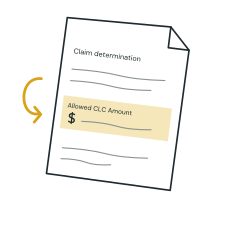
Use the amount stated as allowed in your Terraform Labs claim determination. It is the claim amount used for a review, not a promise that you will receive that many dollars.
Start with your own determination
Open the official claims portal through claims.terra.money. Review your determination materials and check the claim status, dollar amount and any instructions or deadlines in your notice. The portal redirects to the claims service; always begin from the official address.
An amount you entered in an original submission may differ from the amount determined in the claim process. If the status or amount is unclear, resolve that with the claims administrator before treating it as final.
Three numbers to keep separate
- Original investment: what you put into Terra-related assets.
- Allowed claim amount: the amount recognized in your claim determination.
- Sale price: the payment a buyer agrees to make for specified claim rights.
What to enter at Terraloss
Enter the dollar amount shown in your determination, without estimating token prices. If your claim is still under review, select that status first and explain which amount you entered. If you do not have an amount, choose “I don’t have an amount yet” to ask a question.
Keep supporting records for the later review. The initial request does not need your portal password, seed phrase or a connection to your wallet. Do not put private credentials in a message.
Sources & further checks
Official Terraform claims portalEditorial review: October 5, 2026. Source pages and individual claim records can change. This guide is general information, not personal legal or financial advice.
How we use sourcesTerraloss is a prospective buyer of Terra claims. We have a commercial interest in purchases. Our guides do not establish your eligibility or guarantee an offer.